Live scores for your bootcamp session
Organiser sign-in
Got a code from your coach?
You do not need an account. A session code and a first name is all it takes.
Set the exercises and their bronze, silver and gold targets, share a join code, and everyone logs their own results from their phone while the board keeps score in the room. Free, and built for a coach with cold hands and no time.
How it works
Create a session
Give it a name and a date. It takes about ten seconds.
Add the exercises
Each one gets a unit and three targets — bronze, silver and gold. Those targets are what turn a number into an achievement.
Share the join code
Six characters, or the QR code on screen. Participants join with a first name and choose for themselves whether they appear in the ranking.
Everyone logs as they go
A big keypad, one tap per set. Entries add up, so partial sets are fine, and the bar fills towards the next medal.
Watch the board
Put the shared board on a screen in the room for the whole session, and the leaderboard and per-exercise stats afterwards.
Who it is for
Bootcamp coaches and the groups they train — outdoors, in a garage gym, in a sports hall. One person organises; everyone else only needs the code.
The problem it solves is logging results mid-workout, on a phone, with cold or chalky hands, without stopping the session to do it. That is why the targets are set up front and the entry screen is a keypad rather than a form.
What it looks like
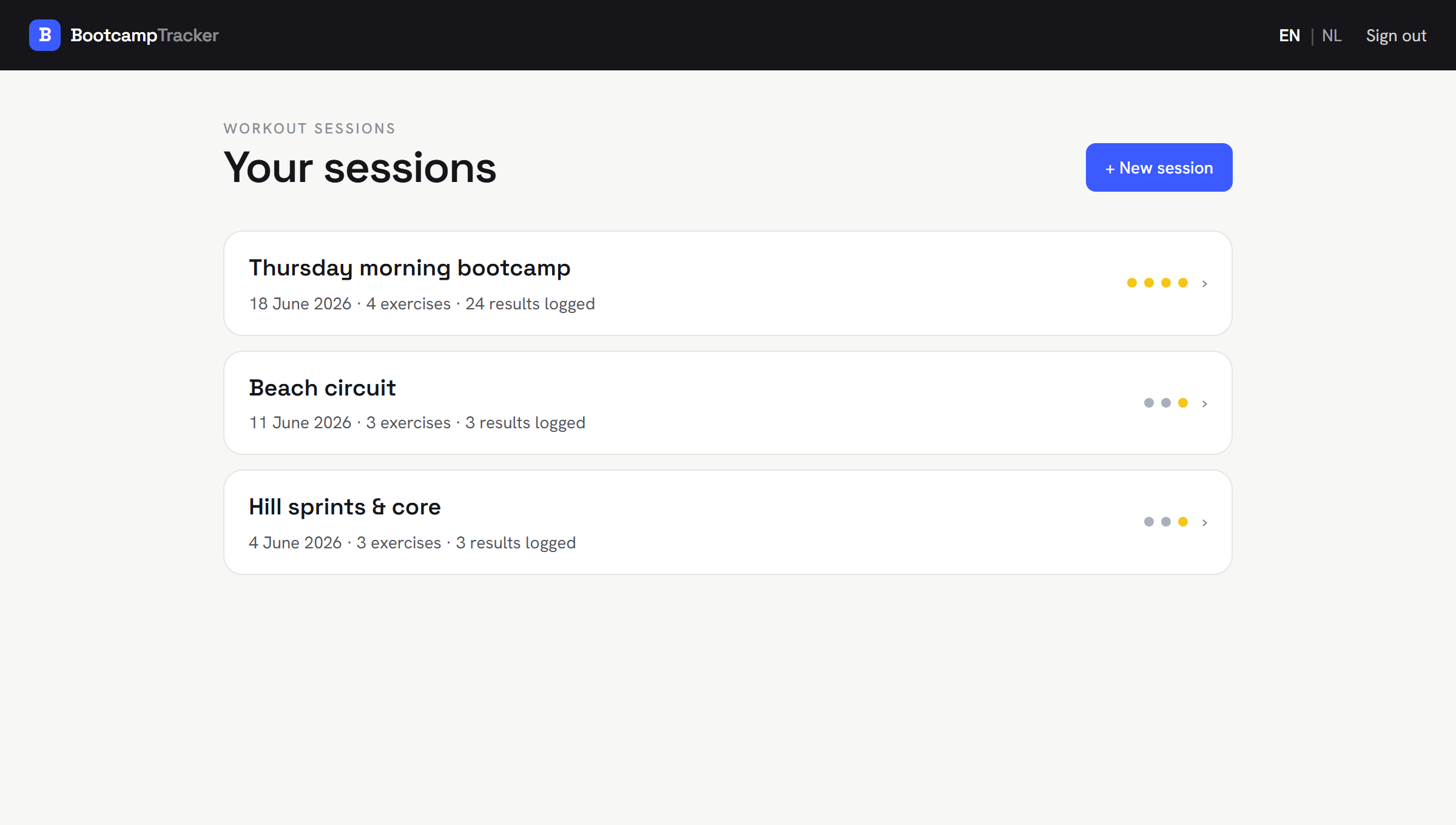
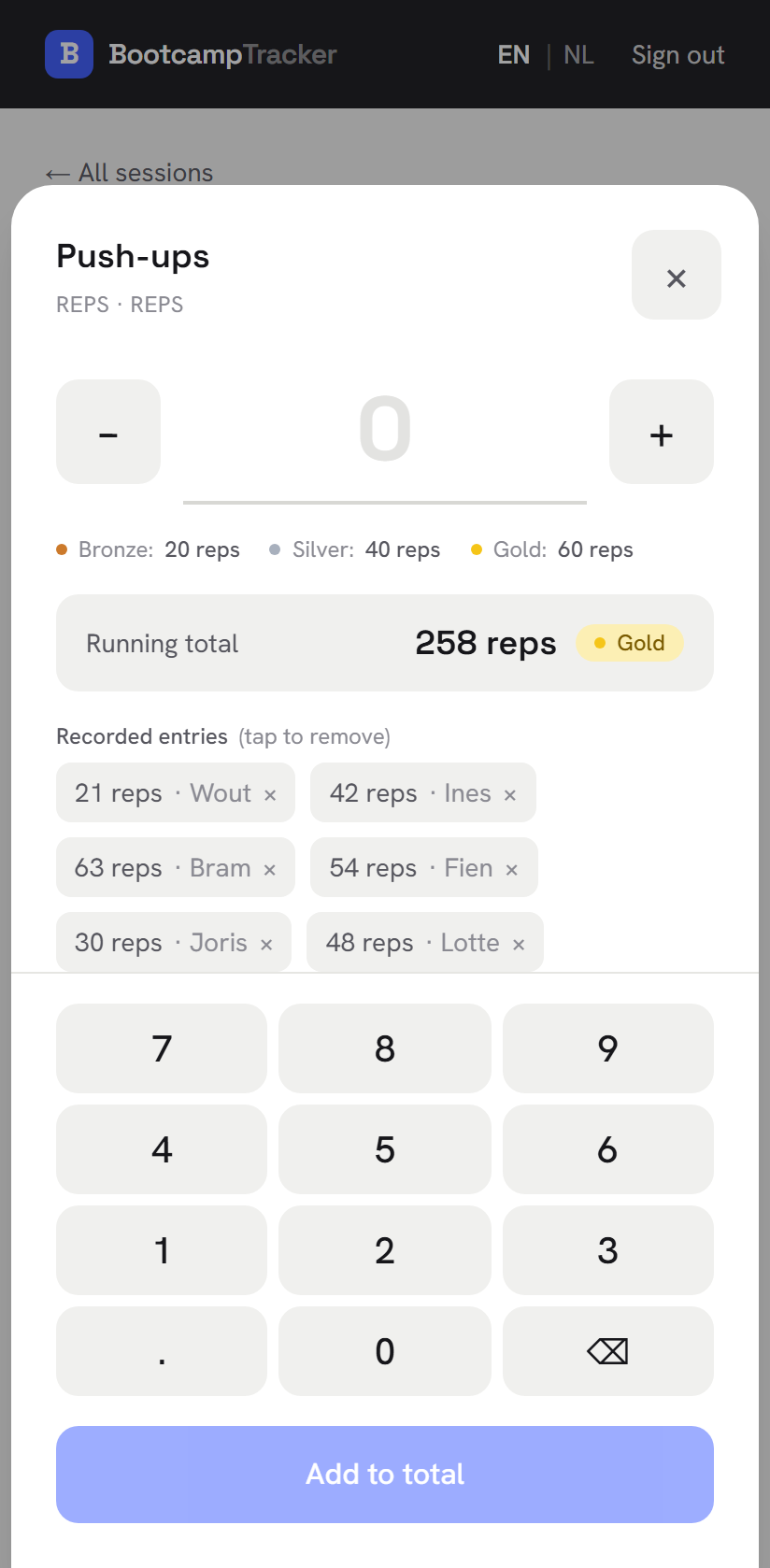
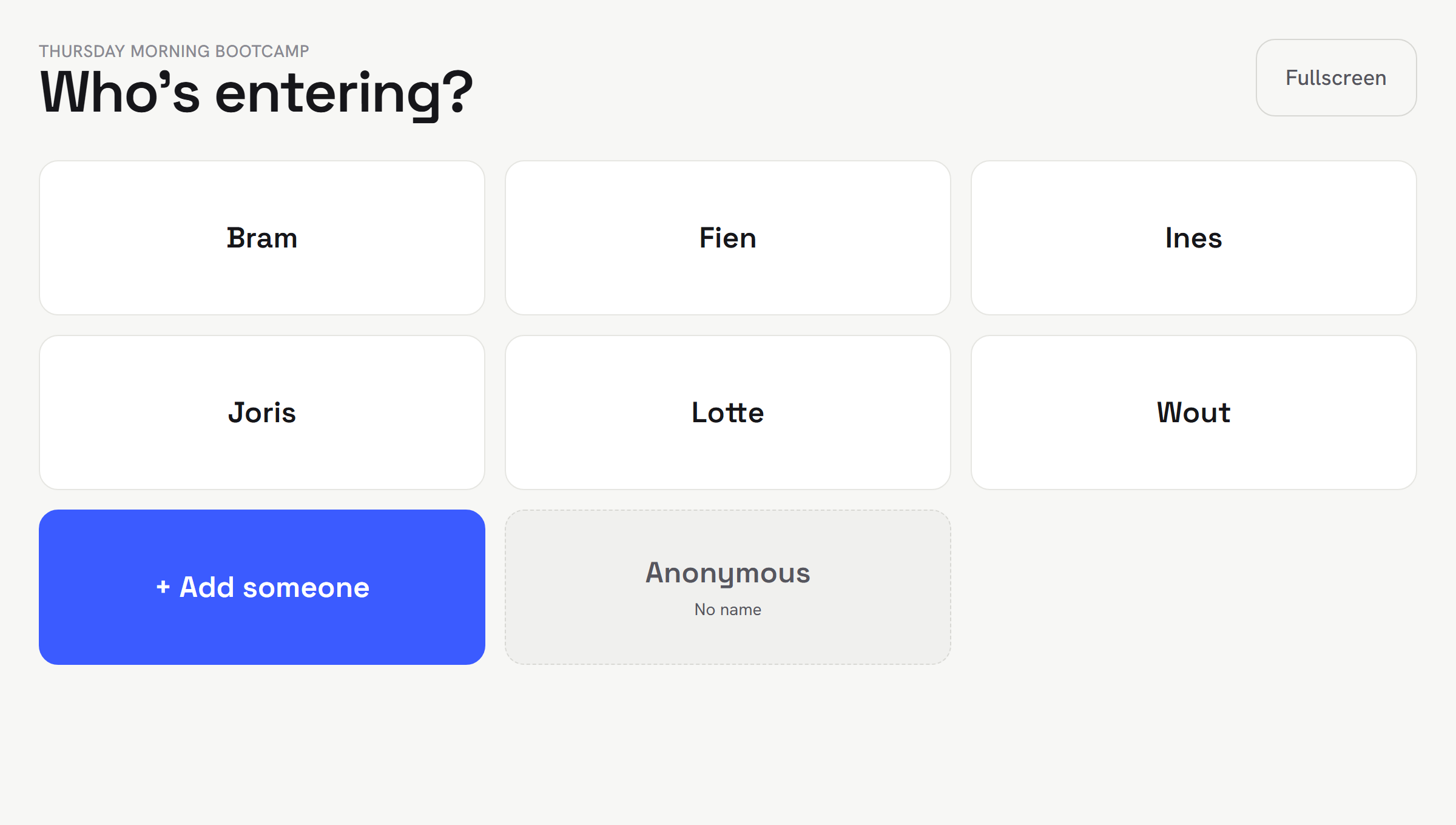
Getting an organiser account
Anyone running a session can make one, and it takes about a minute: enter your email address, follow the link in the confirmation mail, and set your own password. Participants never need any of this — they join with a code.
Request accessQuestions
- Is it free?
- Yes. There is no paid tier, no trial, and no card.
- Do participants need an account?
- No. They open the link or type the session code, pick a first name, and start logging. Nothing is kept on their device beyond that name, and there is no password to forget.
- What data does Bootcamp Tracker store?
- As little as possible. Organisers have an account with an email address. Participants have no account: they join with a session code and the first name they choose, which is shown on that session’s leaderboard. Alongside it we store the results they enter. No addresses, no phone numbers, no payment details, no health data beyond the exercise results themselves. Data is hosted in the European Union, in Supabase’s Central EU (Frankfurt, Germany) region. When an organiser deletes a session, everything belonging to it — participants and their results — is deleted with it. Write to info@proj3cts.be to have data removed.
- Does it work without internet?
- Partly, by design. You can install it to your home screen, and anything you have already opened stays readable if the signal drops. Saving a result needs a connection — it fails visibly and keeps what you typed, so you can retry once you are back online, rather than silently vanishing from someone else’s leaderboard.
- Can I put it on a big screen during the session?
- Yes. There is a shared board built for exactly that: it runs fullscreen on a monitor in the room, each person taps their own name to enter a result, and it returns to the roster on its own between people. The leaderboard works as a display too, during or after the session.
- Which languages does it speak?
- English and Dutch, throughout — the app itself as well as this page.